One list for every class
Students no longer hunt for links. Exams from all their classes appear on their own dashboard: open now, upcoming with a countdown, completed with their score.
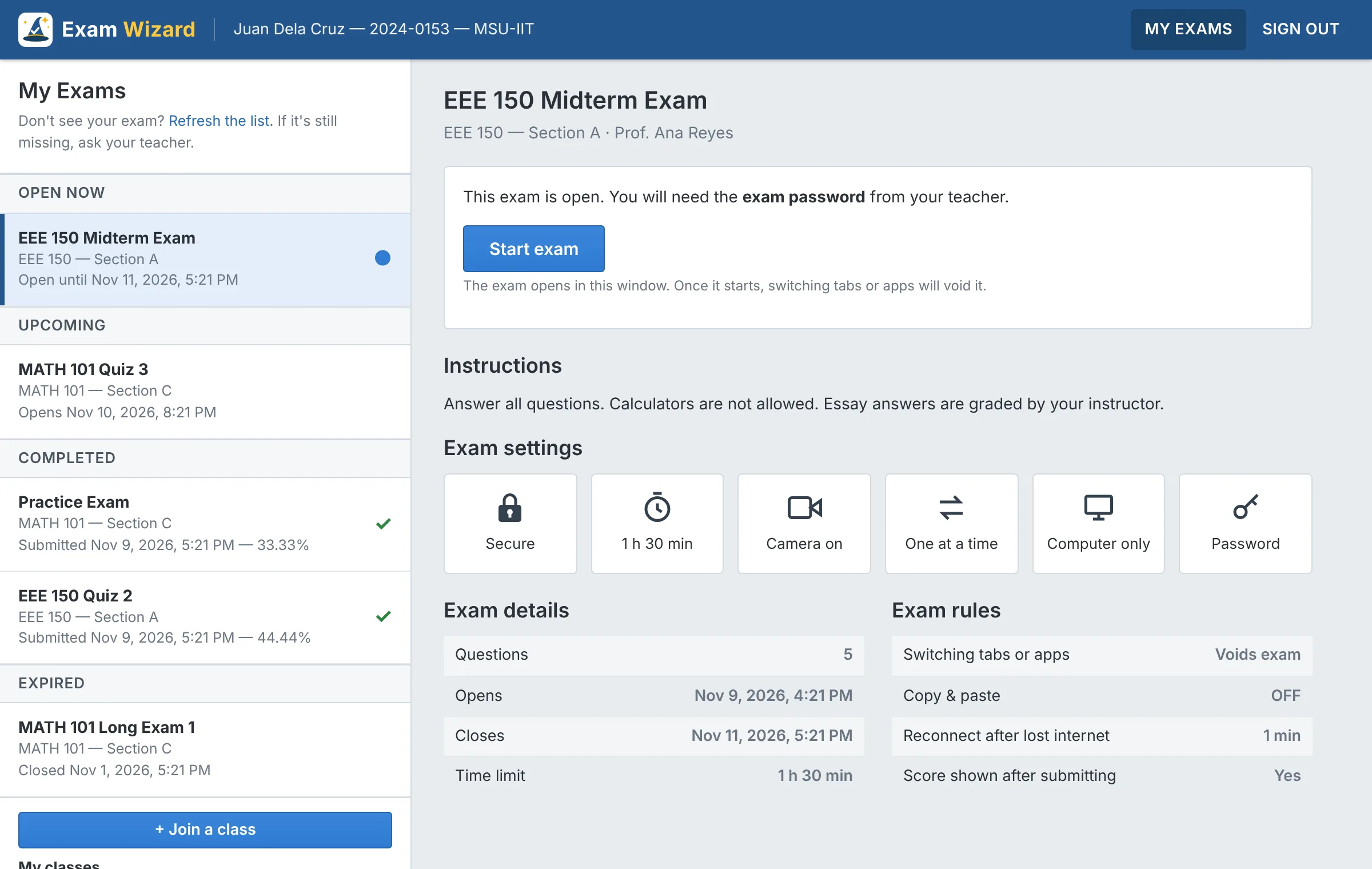
The student dashboard
How it works
Getting a class started takes a few minutes.
For students
Free, no setup needed
- Create a free accountYour name, email and a password.
- Join your classType the 6-character class code your teacher gives you.
- Take your examsThey appear on your dashboard automatically, and open on time.
For teachers
Start with an access code or credits
- Create a classEach class gets its own join code to share with students.
- Build your question bankMultiple choice, true/false, fill in the blank and essays, with pictures and topics. Import from a spreadsheet.
- Schedule an examSet when it opens and closes, the time limit, and the security you want.
- See results instantlyScores are calculated on submit. Grade essays, allow retakes, download to Excel.
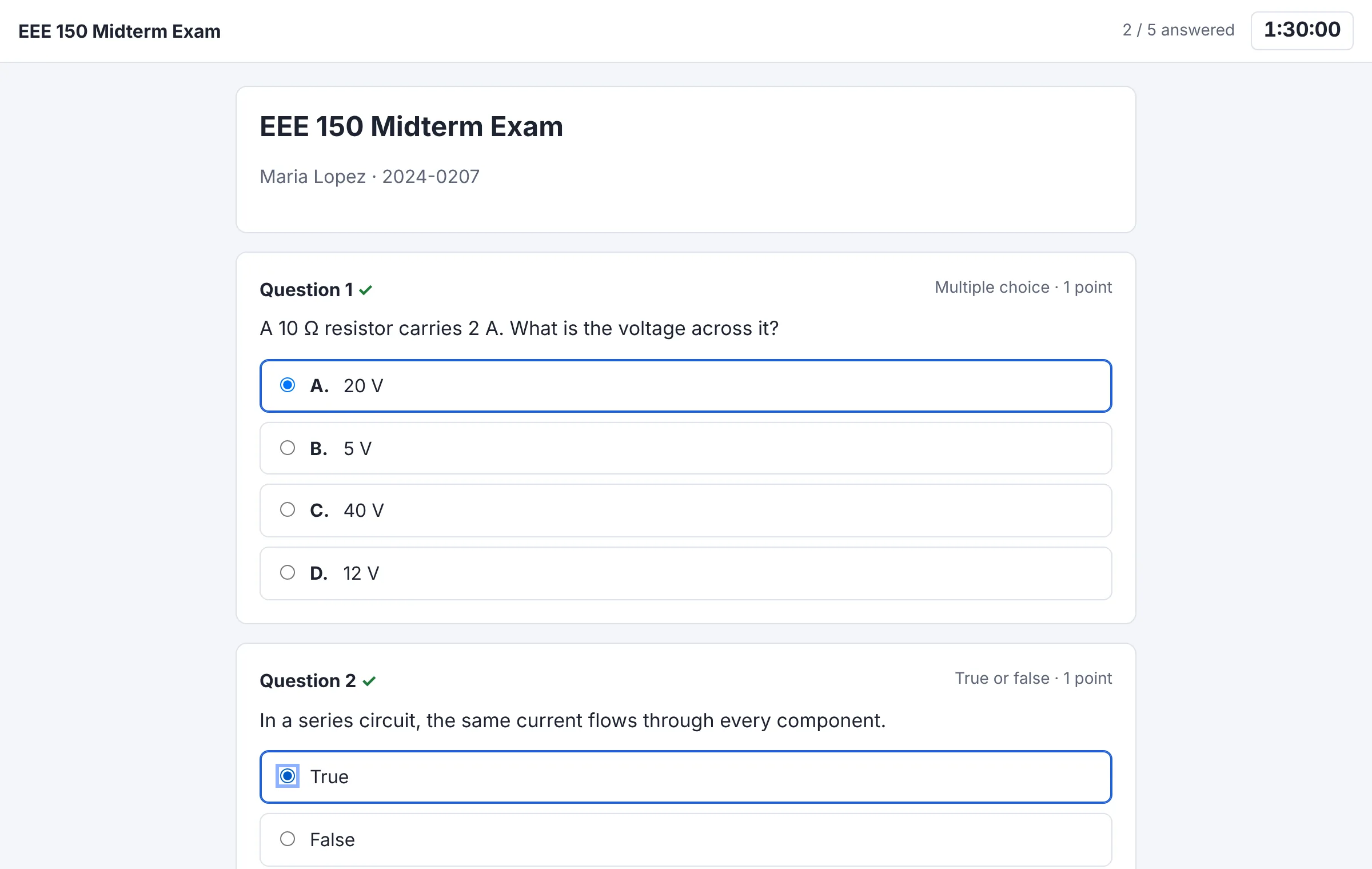
The exam screen
A secure exam screen
Students are told the rules before they start. Every event is logged for the teacher.
- Leaving the exam voids itSwitching tabs or apps, Alt+Tab, or a second monitor ends the attempt.
- Optional camera checkFace visible at the start, or throughout: one warning, then void. Nothing is recorded.
- Fair timingA countdown on the server's clock, auto-submit at zero, and warnings before time runs out.
- Bad internet isn't a failureStudents can reconnect within a minute and continue where they left off.
Built for real classrooms
Everything a teacher needs to run quizzes, long exams and midterms online.
Automatic gradingMultiple choice, true/false and fill-in-the-blank are scored on submit. You grade the essays.
Reusable question bankPictures, topics and points per question. Import or export as a spreadsheet.
A different set per studentShuffle questions and choices, or pick 10 of 50, even 5 easy and 5 hard per student.
Schedules and time limitsOpening and closing times, per-exam or per-question limits, and an exam password.
Computers and tabletsChoose per exam: computers only, computers and tablets, or any device.
Results you can useClass averages, every answer, an event log, retakes, and downloads for Excel.
Free for students. Simple for teachers.
Teachers publish exams with an access code from the administrator, or with credits: 1 credit publishes 1 exam, and editing it later is free.